Ever wondered how your computer, smartphone, or printer connects and shares data so quickly in the same space? That’s all thanks to a Local Area Network (LAN). A LAN is a network that connects multiple devices within a limited area, like your home, office, or school, that allows them to communicate, share resources, and access the internet efficiently.
In this guide, we’ll break down what a LAN is, how it works, the different types, and why it’s such an essential part of our daily digital lives.
What is a LAN (Local Area Network)?

A LAN is a local network that connects more than one device together within a small space, which can be in the house or in an office, depending on the owner’s requirements. Apart from the house or office, a LAN can also exist in that coffee shop down the street.
Since the work LANs do is to connect devices that are close to each other physically, they use cables (e.g., Ethernet) or wireless (e.g., Wi-Fi) connections to enable them to communicate directly & share resources very fast.
How Does a LAN Actually Work? The Connections
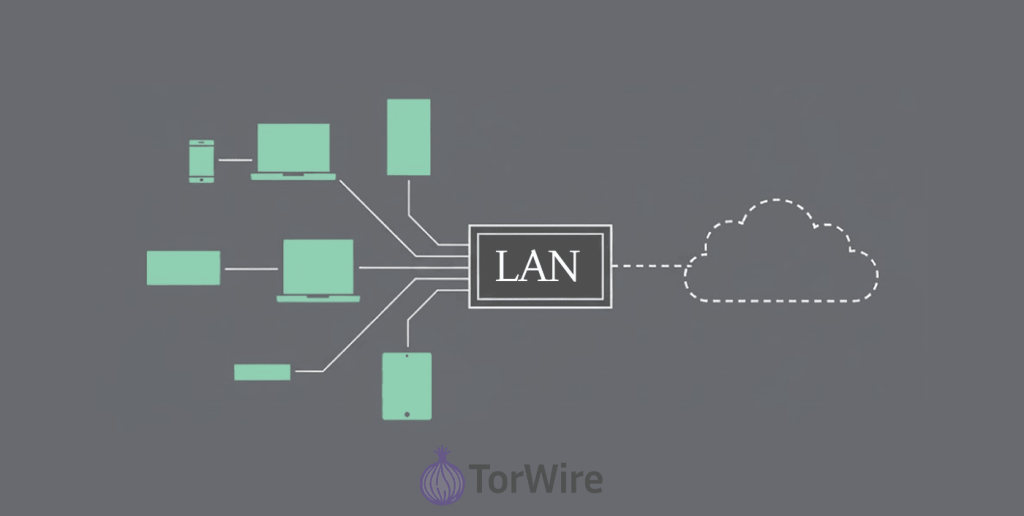
Devices on a LAN, for instance, computers, smartphones, printers, servers, smart TVs, etc., don’t talk to each other through a magical wand or chant. For the communication to occur, there must be a protocol, i.e., the common language of the LAN, primarily TCP/IP, and the presence of a controller for the traffic is a must-have, too.
Check out how these things all work out:
- The connection: A device connects physically, which involves plugging its cord into an Ethernet port, or the device might connect wirelessly, of course, through Wi-Fi.
- The Hub: In the literal and figurative sense, some bits of hardware are responsible for controlling the flow of traffic, the most important piece being a LAN router.
- The Address Book: So every device in your house gets a secret agent code, like 192.168.1.10. That’s its IP address, its own little backstage pass. The router’s the one with the master list. IP addresses are like every device gets a nametag, and that’s how devices locally find each other. The router itself usually has an address that looks like 192.168.1.1.
- Talking the Talk: Devices don’t just grunt at each other, they use protocols that have been agreed upon (rules), Ethernet for the cable crowd (the wired protocol), and Wi-Fi for the untethered types (the wireless protocol), to send & receive packets of data over cables or airwaves.
What is LAN Used For? (You Do This Every Day!)
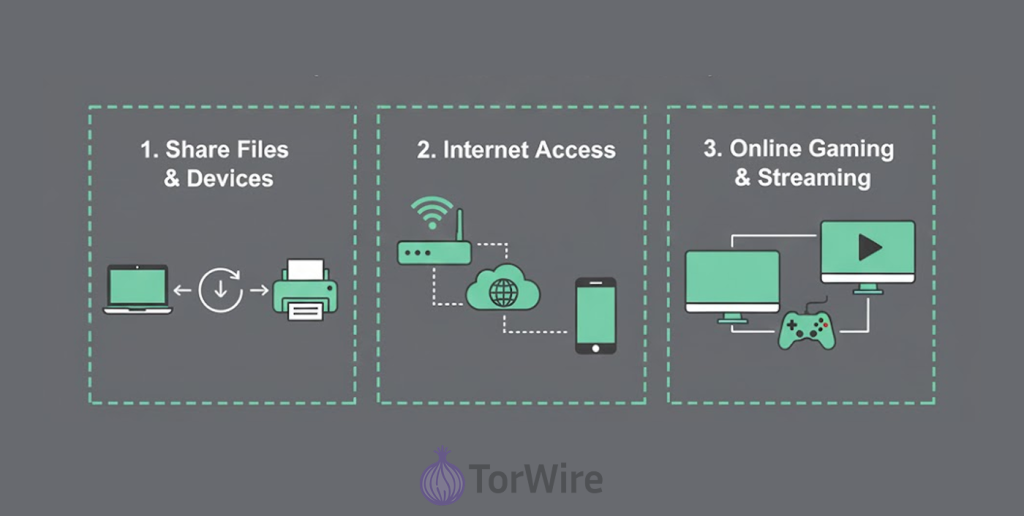
The uses of LAN are very common and essential:
- Resource sharing: This one’s huge. You can share printers, scanners, and expensive hardware among many users instead of one for each desk/cube. Ever hit “print” and strolled over to an office share printer? That is LAN sharing.
- File sharing & collaboration: Instantly share documents/projects/large files between any computers on the network. Clearly, much faster than emailing or using flash drives! Collaboration tools often heavily rely on LAN speed.
- Communication: Many internal email systems, or those apps for instant messaging & even VoIP (Voice over Internet Protocol) phone systems run over the LAN before hitting the wider network due to how fast and reliable it is.
- Internet access sharing: When you connect a new device to the LAN router, it permits every other device that is connected to share one Internet connection that is coming into your house or office. (How else would you put your phone, laptop, & smart fridge all online?)
- Centralized applications and data: Businesses operate important software solutions (databases, accounting systems, CRM) on central servers inside their LAN so staff can reach and use them without too much hassle from their workstations. Even the centralized backups of companies function very well by relying on the LAN, too.
- Gaming and streaming: Local multiplayer gaming (LAN parties!) & streaming media (think movies from your PC to your TV) work so smoothly due to your LAN because it brings speed & low latency from its wired setup.
Why is a LAN Important? (It’s Beyond Mere Convenience)
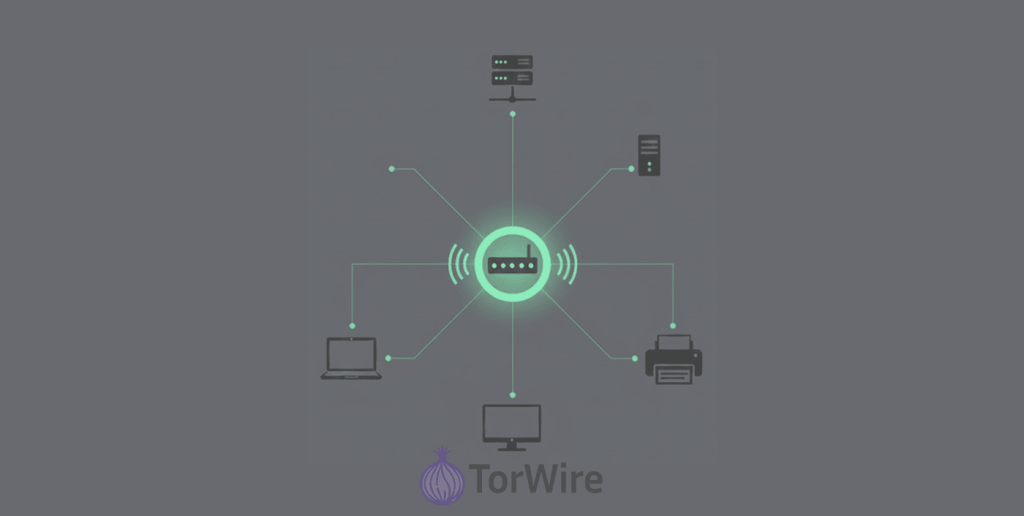
LANs are not just about convenience: they are essential infrastructure:
- Productivity powerhouse: Quite simply, LANs support the fast communication and resource sharing necessary for modern living and working to be efficient. Just imagine how hard it would be working in an office where you could not access shared files or print without USB drives!
- Business critical: For companies, LANs host important applications, databases, email servers, VoIP, etc. Downtime for a company typically means that operations will come to a standstill and revenue will be lost.
- Enabler of innovation: High-speed local networks allow for video conferencing, IP telephony, real-time collaboration tools (e.g. like Microsoft Teams, Slack), centralized data analytics, etc., that support modern work.
- The on-ramp: Your LAN gives you access to a stable, high-bandwidth connection and a point of connection to your internet gateway. We believe, moreover, if your LAN is basically weak, your internet experience will be slow. A strong LAN makes sure you don’t come across any bottlenecks in your internet connection locally.
What Types of LANs Are Out There? (There is No One-Size-Fits-All!)
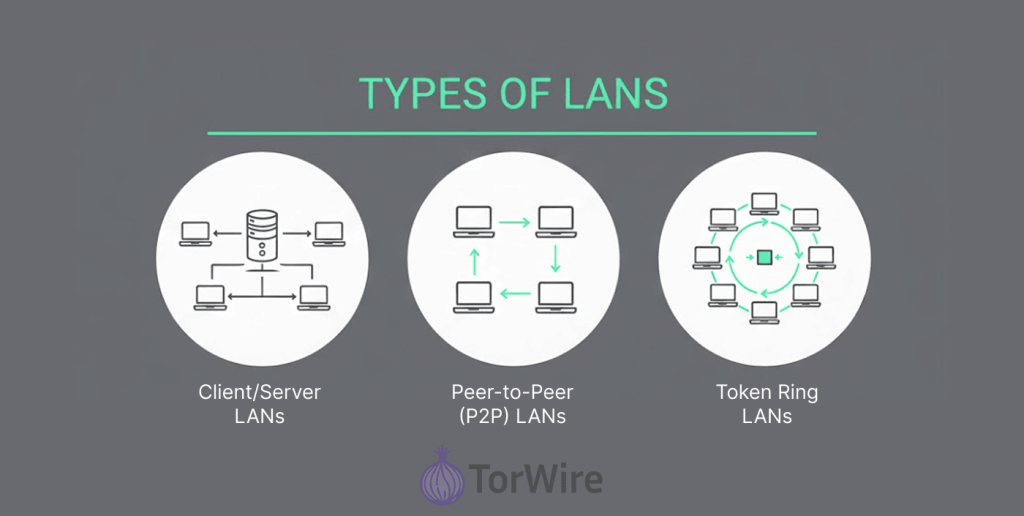
Well, we know a LAN connects local devices. But how does the connection take place? It’s like a team! You have different types of teams; one has a boss, and one has only equals. Let’s sort through it all:
The Bossy One: Client/Server LANs
Think of it as there is a very powerful computer (the server) sitting in the middle, and the other devices (clients – your laptop, your desktop at work) direct requests (files, printer, logins) to the server, & after receiving the requests, the server handles them & sends information back to the clients.
It is very easy to manage access and settings for every device that is connected, all from one spot. Large companies like a bossy (client/server) team structure for this reason (Active Directory – come on, where is it not?). Also, if you have an office that comprises departments that need access & control, this will work very well for you.
The Equal Opportunity Crew: Peer-to-Peer (P2P) LANs
A single leader doesn’t take charge in this setup. Each device shares its own files or printer and requests stuff from other devices. Your home network is the closest example of a P2P LAN. When you share a photo/document from your laptop, on your TV? That’s P2P since those two devices communicate over Wi-Fi or connecting Ethernet.
It’s simple, DIY (you can set it up on your own), and great for small groups or homes. However, you have less central control.
The Retro Relic: Token Ring LANs (Mostly History!)
Imagine devices passing a virtual “token” around a circle. Only the device with the token could send a data packet. These were big back in the 80s, but to be honest? Ethernet came along and did it a lot better and faster. You probably won’t find one unless in a museum.
The Illusionist: Virtual LANs (VLANs)
We’d like to see this one as Tech magic. A VLAN takes smart switches and logically divides one physical LAN into individual, smaller “virtual” networks. Devices on the same switch will act like they are in their own separate networks.
Better security, less clutter. Example: keep the finance team’s sensitive data streams completely separate from the sales floor computers, even though they are plugged into the same piece of hardware.
The Long-Distance, Low-Energy Pal: LPWANs
Made for the Internet of Things (IoT). LPWANs let basic devices (think of a remote weather sensor in a field) send small amounts of data over long distances while using very little amounts of battery power. Important when out in the wild, miles away from an outlet.
The Software Superhero: SD-LAN (Software-Defined LAN)
Are you tired of configuring single “network switches & boxes” that run on different software? Try SD-LAN. Using advanced software, it establishes and maintains all the rules from one logically programmable dashboard.
It also allows you to manage everything simply and smoothly, regardless of how many offices or campuses need to be managed. SD-LAN resolves the problem of “too many knobs to turn” associated with big traditional LANs.
LAN Examples: See It in Action
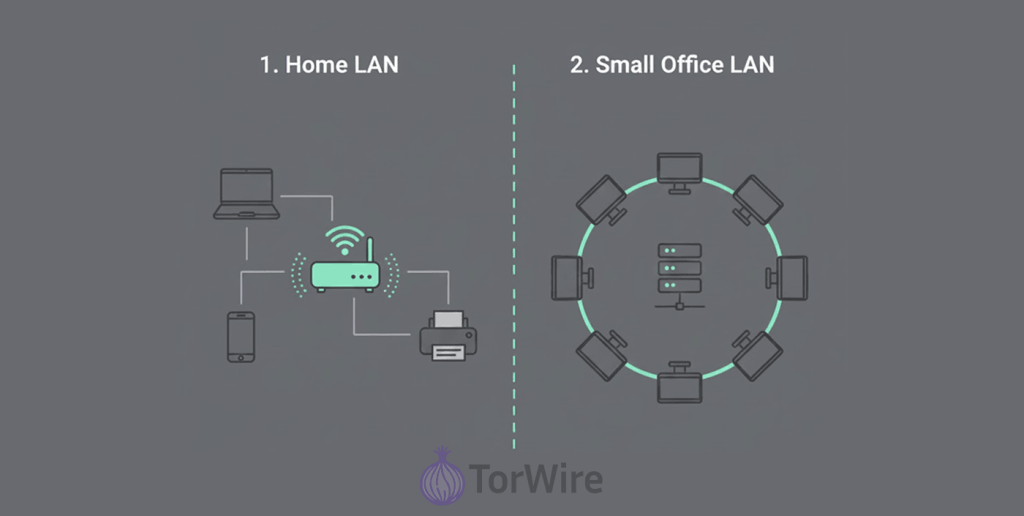
Let’s take a look at some real-life examples of LAN:
- Home LAN: You can connect many devices through your Wi-Fi router, including phone, your smart Television, laptop, gaming console, & wireless printer, and the best part is your ability to use them all at the same time. For example, you stream a movie from your laptop to the smart TV (local streaming), print a document from your smartphone, and browse a website on your laptop – all at the same time, using the home local area network.
- Small office LAN: The desktop computers in a small office (some offices may be bigger) connect via Ethernet cable (wired) to switches. The switch is what the engineers connect to the main LAN router (or gateway), where the internet access comes from. It also connects to a printer & a file server (network attached). While connected to the network, employees have access to files available on the server, print documents to the printer, access cloud services through the shared internet, and use an internal VoIP phone system for their calls.
What are the Advantages of a LAN? (The Good Stuff!)
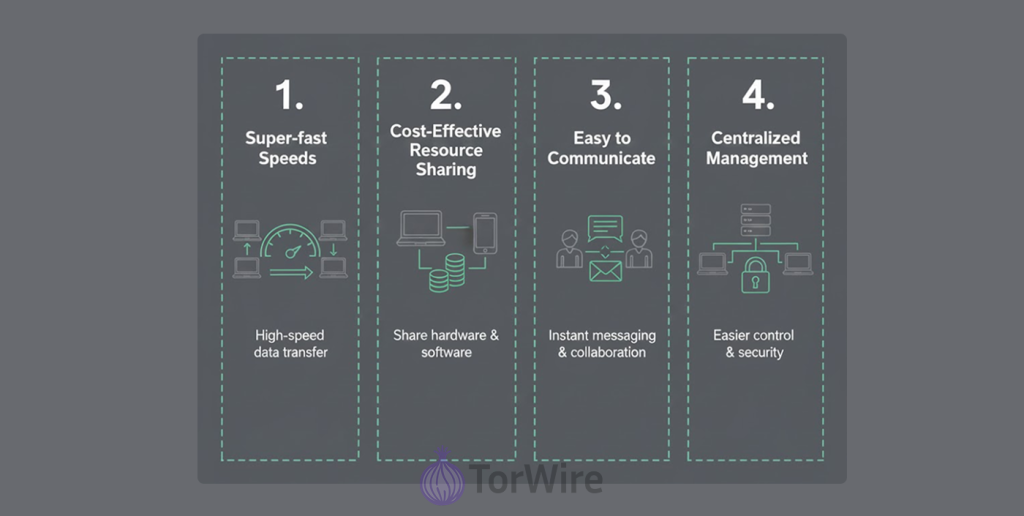
So, why are LANs so widely used? The benefits are really compelling:
- Super-fast speeds: Communication within a LAN is much faster (Gigabits per second is common) than going out to the internet. So, you can easily transfer large files between computers, and it is almost instantaneous if you are doing so on a good LAN.
- Cost-effective resource sharing: Sharing a good-quality printer or a central server with multiple storage options is much cheaper than having to buy devices for everyone. Honestly, just imagine the price tag if every single person had their own printer sitting on their desk – it’ll be over the roof.
- Easy to communicate & work together: Sending a file, messaging back and forth, and bringing all the apps you rely upon together is more manageable. No more endlessly ping-ponging email attachments back and forth. Thank goodness for that.
- Centralized management & security: IT admins love this part! As you can imagine, having a managed LAN means managing your software updates, backups, application security policy, and user access is going to be much easier. Also, it is so much more efficient when you can apply the security patch to 50 machines from one server.
- Higher reliability (wired especially): A wired Ethernet LAN set up properly is very reliable and stable; interference is less compared to wireless or wide-area connections. And this is critical in work environments.
What are the Disadvantages of LANs?
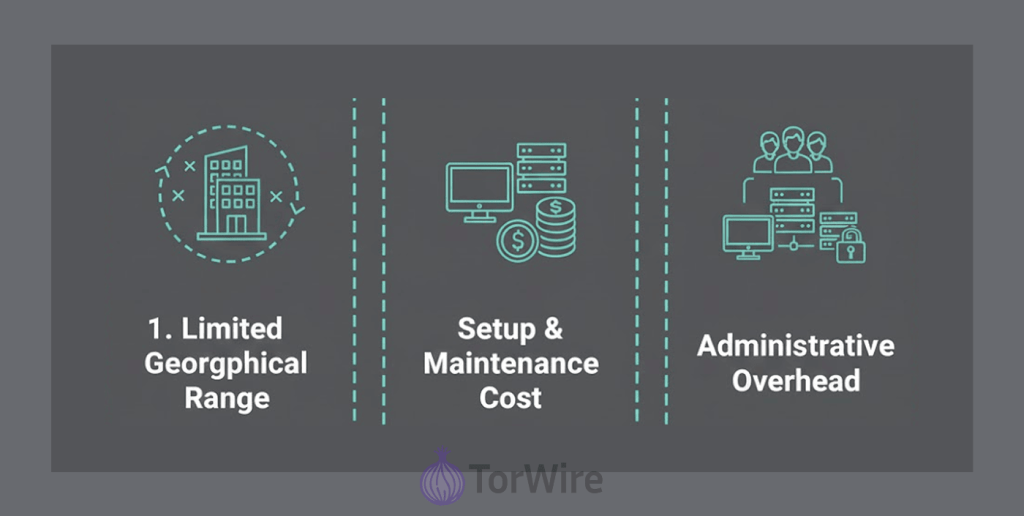
LANs are powerful networking solutions, but they have some limitations. After all, nothing is basically perfect, so we don’t expect LANs to be either:
- Limited geographical range: A LAN is intended to cover just a small physical area. Connecting a few buildings located across town will require a different solution (like a WAN – Wide Area Network, typically with leased lines or VPNs).
- Setup & maintenance cost (up front): The costs of installing the cabling, purchasing routers, and switches (and possibly servers) will involve upfront hardware costs. For larger setups, it often requires getting help from experts. (After all, running Ethernet cabling through walls is not always a DIY job).
- Administrative overhead: Larger LANs, especially within businesses, have ongoing administration requirements. You will need to manage users, security, hardware failure, and software upgrades, which can require IT resources on a full or part-time basis. (I mean, someone has to be on the ground to make sure things are working well!).
- Security risks (if ignored): An unsecured local area network (LAN) is a hacker’s dream. Once a hacker obtains access to the local network (perhaps through a single infected device), they generally can obtain access to other devices and sensitive information far more easily than they could from the internet. Security for LAN is extremely important (more on that shortly!).
- Single point of failure risk: If this critical central component (e.g., main router, core switch) fails, it can take down the entire local network until changes are implemented. Redundancy lessens that risk, but it will incur extra expense.
LAN vs WAN: A Quick Note

Unlike the internet (a type of WAN), which is vast, a LAN restricts things to a local area. But if you are now asking: what is WAN? The term simply means a Wide Area Network, which connects devices that are in far places together, such as those in different cities or countries.
This shows the clear differences between the two connections: a LAN targets devices very close to each other, while a WAN targets or connects different devices in different parts of the world. Think “home network” versus “the internet.”
LAN Security Best Practices: Hardening Your Local Area Network Security (LAN)
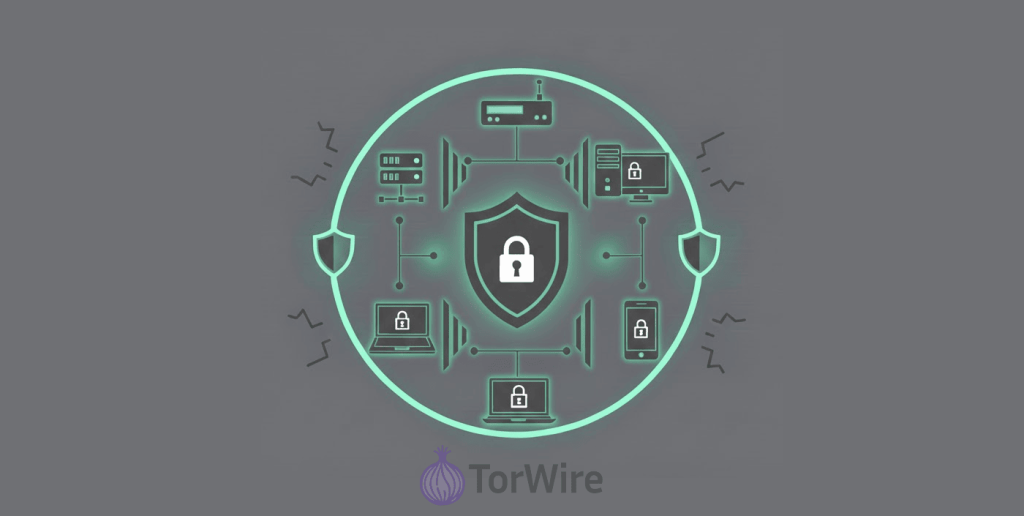
With the inherent risk involved, securing your own LAN is something you have to do; it’s not negotiable. Here are the steps you should take to effectively secure your LAN:
- Fortified firewall: Ensure your LAN router’s built-in firewall is really strong and enabled, and the other settings are configured correctly. The firewall is basically the first line of defense and will function as the main barrier between your LAN and the outside world. Don’t leave your router firewall disabled.
- Password potential: Change the default passwords (there are two) on your router immediately after purchasing or setting it up. The same rule applies to switches, access points, and any other devices connected to the LAN. You also want to establish strong, unique passwords if applicable. When it comes to passwords, you shouldn’t get lazy – go long and weird. Mix up letters, numbers, and those funky symbols to make it super hard for anyone to guess. Default passwords are available to anybody who googles the words, “default password for… whatever device”. They allow for easy access and may very well be the first entry point for a hacker, so don’t wait.
- Encryption is critical (for Wi-Fi): Always use strong encryption for wireless LANs (WLANs). WPA3 is currently the gold standard. If your devices don’t have WPA3 yet, then use WPA2 and AES. Never use WEP – it’s equally aged and could be cracked in minutes. A strong, unique Wi-Fi password is also an important step.
- Router firmware maintenance: Distributors of your router and other devices may publish firmware updates when there are security vulnerabilities. So, regularly visit the manufacturer’s website to make sure you’ve applied the latest updates. A router with outdated firmware is basically vulnerable.
- Segment sensitive stuff: In more complex setups (especially in business setups), you can also use VLANs (Virtual LANs) in order to segment your network and isolate critical pieces of equipment (for instance, your servers or PCs used for finance) from users and guest networks. This minimizes the impact of damage if one segment is compromised. (Just like compartments on a ship).
- Visitor guest network: Create an independent Wi-Fi network for your visitors. Based on your router configuration, your visitors will not have access to your main LAN or shared resources (ventilators, personal computers, or NAS). Most routers made today will support this option easily.
- Device hygiene: Security isn’t just the IT guy’s headache. Everyone connected to the network—whether using a laptop, phone, or even a smart fridge—must ensure their device is updated and secure. If someone hacks one device, you have just handed them the keys to the entire network.
5 Popular LAN Topologies: How Devices are Organized
The term topology refers to the physical or logical arrangement of devices on the LAN. Here are the common types:
1. Star Topology
We’d like to think of this one topology as the clear winner today. Every device connects to a central device directly, and it is almost always a switch (or sometimes a hub, but who cares about hubs, that technology is dead).
- Why’s this setup such a hit? Well, it’s stupidly easy to install, maintain, and fix stuff if it breaks. Adding and removing devices is straightforward; usually, only one cable or device will fail, not the rest. So one failure does not take down the whole network, and the central switch gives high performance. (This is what you have at home with your Wi-Fi router/switch and wired devices.)
2. Bus Topology (Ancient History)
All devices are connected to a single backbone cable – like your old coaxial Ethernet.
- The downsides: If the main cable is broken, the whole network goes down. As you added devices, performance degraded (like collisions). Troubleshooting was difficult. Very rarely used today.
3. Ring Topology
Picture this: all your devices are hooked together in a big loop, like Token Ring or FDDI. Data just travels around in one direction. But, this type is mostly just history now.
- The upside? No data pile-ups, so performance is steady.
- The downside? If one cable snaps or a device dies, the whole thing goes kaput. Adding or yanking devices out? Yeah, that’s a pain for everyone on the ring.
4. Mesh Topology
Devices connect to many other devices, thereby creating multiple paths.
- Full mesh: Every device connects directly to every other device, making the network super resilient but also expensive and complex.
- Partial mesh: Only critical systems have more than one connection (more common for backbone networks).
It provides maximum redundancy and fault tolerance because traffic can always reroute if a link fails. Common in critical infrastructure, like wireless mesh networks, or large infrastructure.
5. Tree Topology (or Hierarchical Star)
More or less multiple star networks that are connected together (often through backbone switches or routers that span the star networks.
It’s used because it’s highly scalable for large networks with a large number of nodes (e.g., campuses, multi-floor offices, etc.). It allows for segmentation and efficient management of different departments or floors, and follows a logical hierarchy.
Quick Journey Down Memory Lane: The History of LANs
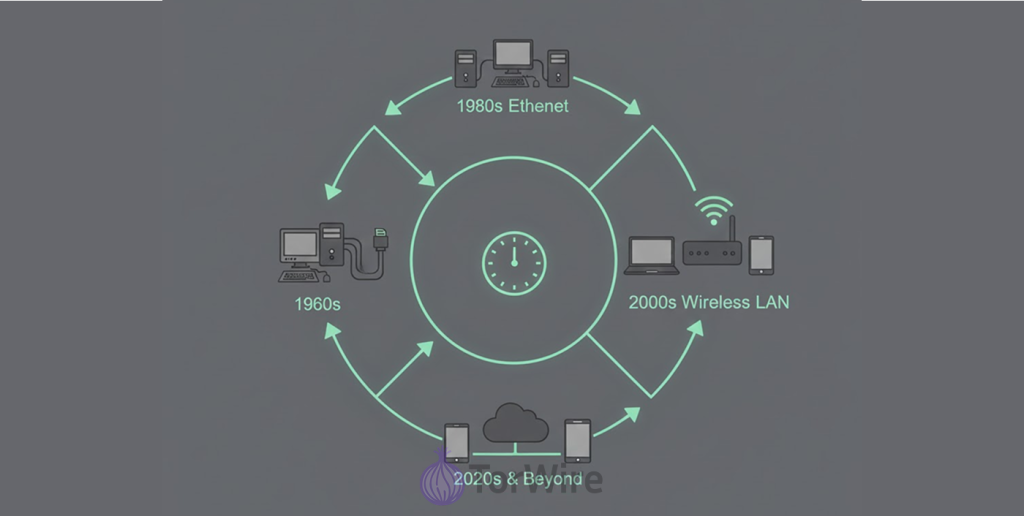
The need or reason to connect computers locally didn’t start today; it came up very early in the history of computing:
- 1970s – The Pioneers: This time was when engineers developed the first LAN technologies which some of them that time were, e.g., Cambridge Ring (UK, 1974), ARCNET (US, 1976). Bob Metcalfe & David Boggs invented Ethernet in 1973-1974 at Xerox PARC. The speeds of these networks compared to what we have today were painfully slow. Imagine e.g., 2.94 Mbps for early Ethernet, which was awfully slow.
- 1980s – Standardization & Takeoff: this period was when Ethernet was standardized (IEEE 802.3), & cheaper implementations became available. Token Ring (IBM, 1984) came up to compete very seriously, especially in corporate environments. The need to share files & printers in offices made it so necessary for people to adopt it fast. Remember those thick, yellow coaxial “Ethernet” cables?
- 1990s – Switches & Speed: It was becoming obvious that shared media (example: coax) and hubs, which created “collision domains,” had limitations. Ethernet switches started replacing hubs, removing the incidents of collision domains & making bandwidth per port dedicated and speeds faster, leading to an increase in performance & scalability. As a result of all that, speeds rose dramatically from 10 Mbps to 100 Mbps (Fast Ethernet).
- 2000s – Wireless Revolution & Gigabit: The IEEE 802.11 standard (Wi-Fi) quickly attracted people’s attention & before you know it, the world has gotten wireless devices. Wi-Fi speeds began with 802.11g and 802.11n, while wired Ethernet technologies grew after developers introduced Gigabit Ethernet (1,000 Mbps), and this made it to become the new standard, which new installations followed, making structured cabling (Cat5e/Cat6) the new normal then.
- 2010s to Present – Ubiquity & Hyperspeed: LANs became completely ubiquitous in businesses and homes. Wi-Fi standards stepped up to the “multi-gigabit” range (802.11ac, 802.11ax/Wi-Fi 6 & 6E). Wired Ethernet has developed up to 10 Gigabit & higher in places such as enterprise backbones and data centers. Now the focus is on managing the complexity of the situation, improving density in wireless deployment, and improving security.
FAQs
No! The internet is the biggest WAN (Wide Area Network) ever – it’s a network of networks all over the world! Your home/office LAN connects to the internet through your LAN router and an ISP.
Yeah, a LAN can totally work without the internet. You can still share files, print stuff, play around with local servers—all that jazz. The only catch? No surfing the internet or streaming cat videos from outside your network – everything’s in-house.
LAN is basically the whole local network setup, like your home or office network. Wi-Fi is just another method to connect your computers and devices to that LAN we call a network, except, you know, no cables. Think of it like this: LAN is like the party, Wi-Fi is the invisible invitation that allows you in from your couch. Most home routers today use a mix of both, wired (Ethernet) connections for serious, stable networking, and Wi-Fi for those who prefer convenience over cables.
When it comes to security, you can lock down a LAN tightly—but only if you know what you’re doing. The default with company routers is not magically secure – trust us on this. Have decent passwords, throw some encryption on top, keep the crap updated, and don’t click random links.
For sure, if you’re super strict about security, stuff like WPA3, VPN, strong passwords, etc. But let’s be realistic: wired will always be more reliable and consistent than wireless. No interference, no dropped connections.
Technically, you can link a couple of computers together with cables, but in practice, most LANs connect to a router. A router makes things easier, manages who talks to whom, and usually connects the network to the wider internet.
If one device gets nailed, it can spread to others on the same network, especially if you’re not segmenting things or your security stinks. Basically, one bad apple and the whole barrel could go rotten.
